


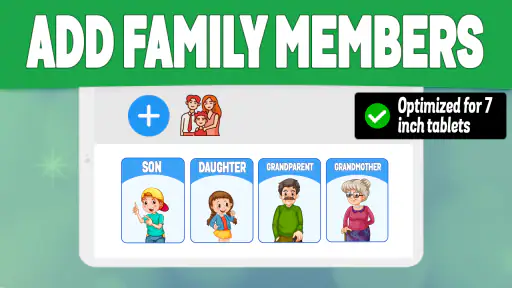
I approached Phone Tracker By Number as a family-safety app rather than a general-purpose map tool. Its purpose is straightforward: help people locate a phone and keep track of family members from a mobile device. That sounds simple, but location tools are only useful when they fit naturally into a household’s routine, respect everyone’s boundaries, and remain dependable when someone is in a hurry. In my experience, this app is best judged by those practical questions, not by the promise of a phone number alone.
Developed by Awesome Game Studio, the app is free and listed for everyone, which makes it easy to consider for a mixed-age household. It has built a sizeable audience, with over five million installs and an average rating of 4.4 from around 125 thousand ratings. Those figures suggest that the basic idea works for many people, although popularity should not replace checking whether its approach matches your family’s needs.
How Phone Tracker By Number fits into everyday family life
The most useful way to think about Phone Tracker By Number is as a shared routine, not an emergency magic button. A parent might use it to check whether a child has arrived at school, a couple might use it while coordinating separate errands, or relatives might use it when an older family member is travelling. In each case, the value comes from having an agreed way to share location, rather than from secretly trying to identify someone through a number.
A realistic example is a busy afternoon when one parent is collecting a child and the other is delayed at work. Instead of sending several messages asking where everyone is, the family can use the tracker as part of its agreed check-in process. That can reduce interruptions, but only if the people being located know how the arrangement works and keep the relevant phone settings available.
I also found that the app makes more sense for families who want one focused tool instead of a large social platform. A dedicated tracker keeps the purpose clear: location and family coordination. That can feel less distracting than using a broader messaging or social service, especially for parents who do not want a child’s location-sharing routine mixed with unrelated feeds, contacts, or entertainment.
At the same time, the wording “by number” should not lead you to expect that entering any phone number will reveal a precise, live position without cooperation. A phone’s location depends on the device, its connection, its settings, and the permissions granted by the user. I would introduce this app openly to family members and agree on when location sharing is appropriate. That is both more practical and more respectful than treating tracking as a hidden surveillance method.
What the current version offers in practical terms
The current version is 5.5, and the app supports devices running Android 7.0 or later. That broad compatibility is helpful if a household mixes newer phones with an older spare device. It also means the app can be considered for families who do not replace every phone regularly. Before relying on it, I would still install it on each intended device and check how smoothly the setup behaves across the household’s actual phones.
The central appeal is convenience. A family tracker should reduce the need for repeated “Where are you?” messages, and Phone Tracker By Number is designed around that need. Its parenting category also gives it a clear audience: adults who want a simple way to coordinate and look after family members, rather than users searching for a professional fleet-management system or a detailed hiking navigation tool.
For a parent, the important question is not simply whether a map appears. It is whether the app becomes part of a predictable workflow. I would use it alongside clear household rules: who can view a location, when sharing is expected, and what to do if a phone battery dies. That last point matters because no tracker can compensate for a powered-off or unavailable device. A backup message or agreed meeting place remains sensible.
The app’s free price lowers the barrier to trying it. That is useful when you want to test a family routine before committing money, but I would not confuse free access with a guarantee that it will replace every other safety measure. The app can support communication; it should not become the only plan for school pickups, travel, or emergencies.
What the release history tells existing users
The app was released on April 16, 2020, and its current 5.5 version shows that it has continued beyond its initial launch. That progression matters to existing users because a location app needs to remain usable as phones, operating systems, and family habits change. A maintained version is more reassuring than an abandoned installation, even though a version number by itself does not prove that every device will behave identically.
I would describe the product’s evolution cautiously. The confirmed point is that users now have access to version 5.5, not a detailed list of individual changes. Without a complete change history, it would be misleading to claim that a particular screen, setting, or tracking behavior was added in a specific update. What I can say is that the app has moved through multiple versions since launch, which indicates ongoing product development rather than a one-time release.
For someone already using an earlier build, the sensible approach is to update and then repeat the family’s normal test: open the app, confirm that the intended people can share their position, and check that the map information is understandable. A tracker can appear fine during a quick glance yet fail at the exact moment a family needs it, so a short routine check is more useful than assuming an update changed nothing.
New users should also treat version 5.5 as a starting point for their own evaluation. Install it on the phones that matter, set up the sharing arrangement together, and try it during an ordinary outing before relying on it for a long trip. This reveals practical friction early, such as a family member forgetting to open the app, misunderstanding the sharing process, or using a phone that is not well suited to the required system version.
Small habits that make the tracker more dependable
One useful habit is to define a location-sharing window instead of leaving the arrangement vague. For example, a family could agree that sharing is active during a school journey or while travelling home, then discuss whether it should remain active afterward. This prevents the app from becoming an invisible background expectation and makes it easier for children and adults to understand why it is being used.
A second practical tip is to test the tracker from the viewpoint of every participant. The parent who sets up the arrangement may understand it immediately, while a child or older relative may not know what the location screen means or what action is expected. I would ask each person to explain the routine in their own words. That simple check often exposes more problems than staring at the main screen alone.
A third is to pair the app with a low-tech fallback. If a child’s phone battery is nearly empty, the family should already know whether to send a short message, call a particular person, or wait at a familiar location. This is not a criticism unique to Phone Tracker By Number; it is a basic limitation of all phone-based tracking. The app is strongest as one layer in a plan, not as the entire plan.
A fourth insight is that a tracker can improve coordination while still creating unnecessary anxiety. Constantly refreshing a location may encourage a parent to react to small movements that are perfectly normal. I would use the app to answer a practical question, such as whether someone has reached an agreed destination, rather than repeatedly monitoring every step. That keeps the tool useful without allowing it to dominate family communication.
Where it compares well with familiar alternatives
Compared with ordinary calls and messages, Phone Tracker By Number can be more convenient when several people need a shared view of whereabouts. A message requires the other person to answer, and a call may be inconvenient during school, work, or travel. A tracker can reduce that back-and-forth for routine coordination. The trade-off is that it depends more heavily on setup and device availability than a simple phone call.
Compared with broad family-location services built into larger mobile ecosystems, this app may appeal to people who want a focused, independent option. Those built-in alternatives can feel smoother when every family member already uses the same platform, because accounts, maps, and device settings may already be familiar. Phone Tracker By Number becomes more interesting for households that want to try a separate parenting-oriented tool or that do not want to build their routine around a wider ecosystem.
Compared with a dedicated GPS device, a phone app avoids asking the family to carry another piece of hardware. That is a real advantage for older children who already take a phone everywhere. A dedicated device may be preferable for a younger child who does not need a smartphone, or for a situation where long battery life and a purpose-built design matter more than convenience. The app’s strength is using an existing phone, not replacing every kind of locator.
Compared with professional tracking software, this is clearly aimed at personal family use. I would not choose it to manage employees, vehicles, deliveries, or a large group with formal reporting needs. Its parenting focus is a benefit for a household, but it also signals that users seeking advanced operational controls should look elsewhere.
Who should use it, and who should skip it
I can recommend trying Phone Tracker By Number if you are a parent who wants a straightforward location routine, if your family members carry compatible phones, and if everyone is comfortable agreeing to the arrangement. It is also worth considering for relatives who need occasional coordination without paying for a separate tracking device. The free price makes a trial relatively easy, while the everyone age rating keeps it approachable for a broad household audience.
I would be more cautious if your family needs guaranteed emergency response, highly detailed movement history, or a tracker for someone who does not carry a smartphone reliably. Those needs call for a different solution or an additional safety system. I would also skip it if the intended use depends on tracking someone without their knowledge. That is not a healthy family workflow, and the app should not be treated as a way around consent.
Families with older phones should check compatibility before planning around it. Android 7.0 support covers a wide range of devices, but compatibility alone does not tell you how well an individual phone will handle location tasks in daily use. I would test the actual devices, especially any older handset being used as a child’s first phone or as a backup.
Remaining gaps and everyday friction
The biggest limitation is the gap between the simple idea of tracking by number and the technical reality of location sharing. A phone number is an identifier, not a guarantee of a live, accurate position. Users who expect instant results from a number alone may be disappointed. The app is better understood as a tool that helps connected family members share and find phone locations under the right conditions.
There is also a human limitation. A tracker cannot resolve a family’s communication problem if nobody has agreed on what the location means or what to do next. A map point may show that someone is nearby, but it does not explain why they stopped, whether they are safe, or whether they need help. I would still use calls or messages for anything urgent or unclear.
Privacy is another area where the app requires thoughtful use. Parents may see location sharing as reassuring, while teenagers may experience constant monitoring as intrusive. The most sustainable arrangement is transparent: explain the purpose, limit access to the people who genuinely need it, and revisit the agreement as children become more independent. This approach improves trust and usually makes people more willing to keep the app working properly.
The app may also be less satisfying for users who want a polished all-in-one family platform with calendars, messaging, alerts, and broader household tools. Phone Tracker By Number’s appeal is its focused purpose. If you want a complete family organizer, a location tracker alone may feel narrow. That is not necessarily a defect, but it is an important distinction before installation.
What I would watch as the product develops
For future use, I would watch how version updates affect setup clarity, device compatibility, and the everyday reliability of location sharing. Those are more important to me than adding decorative features. A family tracker should make it obvious who is sharing, what the current location represents, and what a user should do when a device is unavailable.
I would also pay attention to how the app handles the balance between safety and privacy. The best direction would be tools that help families set clear boundaries, manage participation openly, and avoid encouraging constant surveillance. That balance will matter more as children grow older and family routines change.
Existing users can keep their expectations realistic by checking the app after updates and maintaining a backup communication plan. New users should begin with a small, low-pressure trial rather than installing it immediately before a major journey. Use it during a normal school run or shopping trip, compare the experience with your usual calls and messages, and decide whether it genuinely saves effort.
My overall view is positive but measured. Phone Tracker By Number is most useful when it supports an agreed family routine, not when it is treated as a substitute for trust, communication, or emergency planning. Its free access, broad intended audience, and continued development make it a reasonable app to test, especially for parents looking for a focused phone-location tool. I would recommend it to families who want simpler coordination and are willing to set expectations together. I would steer users with specialist, professional, hardware-based, or high-assurance needs toward a more suitable alternative.
After trying it, I would keep it only if the household can answer three questions comfortably: who can see the location, when is sharing expected, and what happens when the phone cannot be found? If those answers are clear, the app can quietly remove friction from everyday family life. If they are not, installing another tracker will not solve the underlying problem.


